Device Operations & Monitoring
Admiral gives operators deep visibility and deterministic command control over individual edge hardware nodes, autonomous robots, and kiosks.
Navigating the Device Detail View
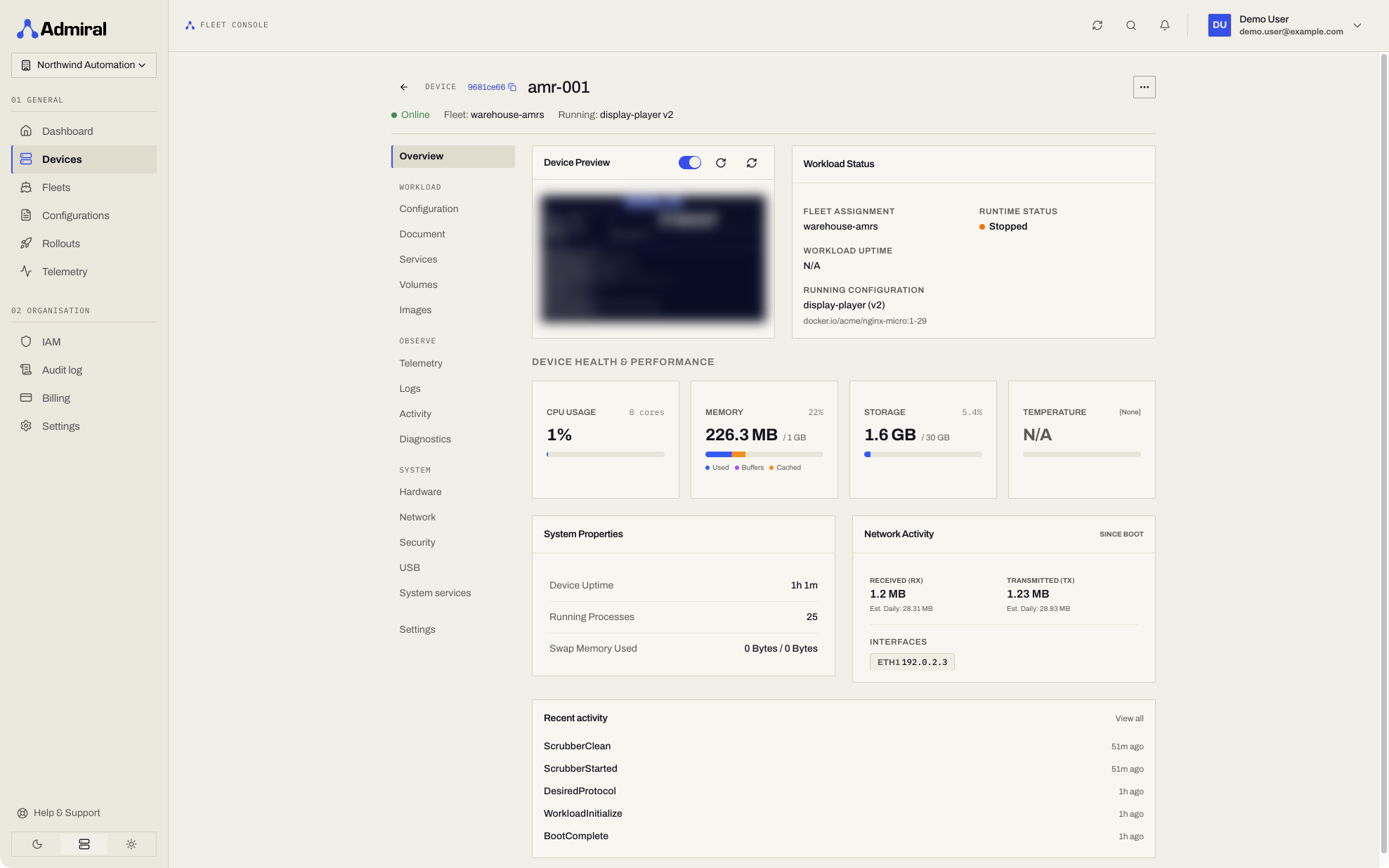
Clicking any device row from Devices (https://app.admrl.co/devices) opens the device cockpit (/devices/<device-id>). The side navigation groups its pages:
| Group | Pages |
|---|---|
| Overview | Preview, workload status with live operations, performance metrics, recent activity. |
| Workload | Configuration, Document, Services, Volumes, Images. |
| Observe | Telemetry, Logs, Activity, Diagnostics. |
| System | Hardware, Network, Security, USB, System services. |
| AirDetect | Shown once AirDetect is enabled for the fleet. |
| Settings | Name, fleet assignment, and the danger zone (delete / decommission). |
The header shows online state, fleet, the configuration and version running, and workload uptime. While a configuration is being applied, the Operations card below the workload status card shows each step (for example Pulling image · 41 %). When settings were changed on the device itself, a local override banner with Adopt and Discard appears on every page.
1. Overview
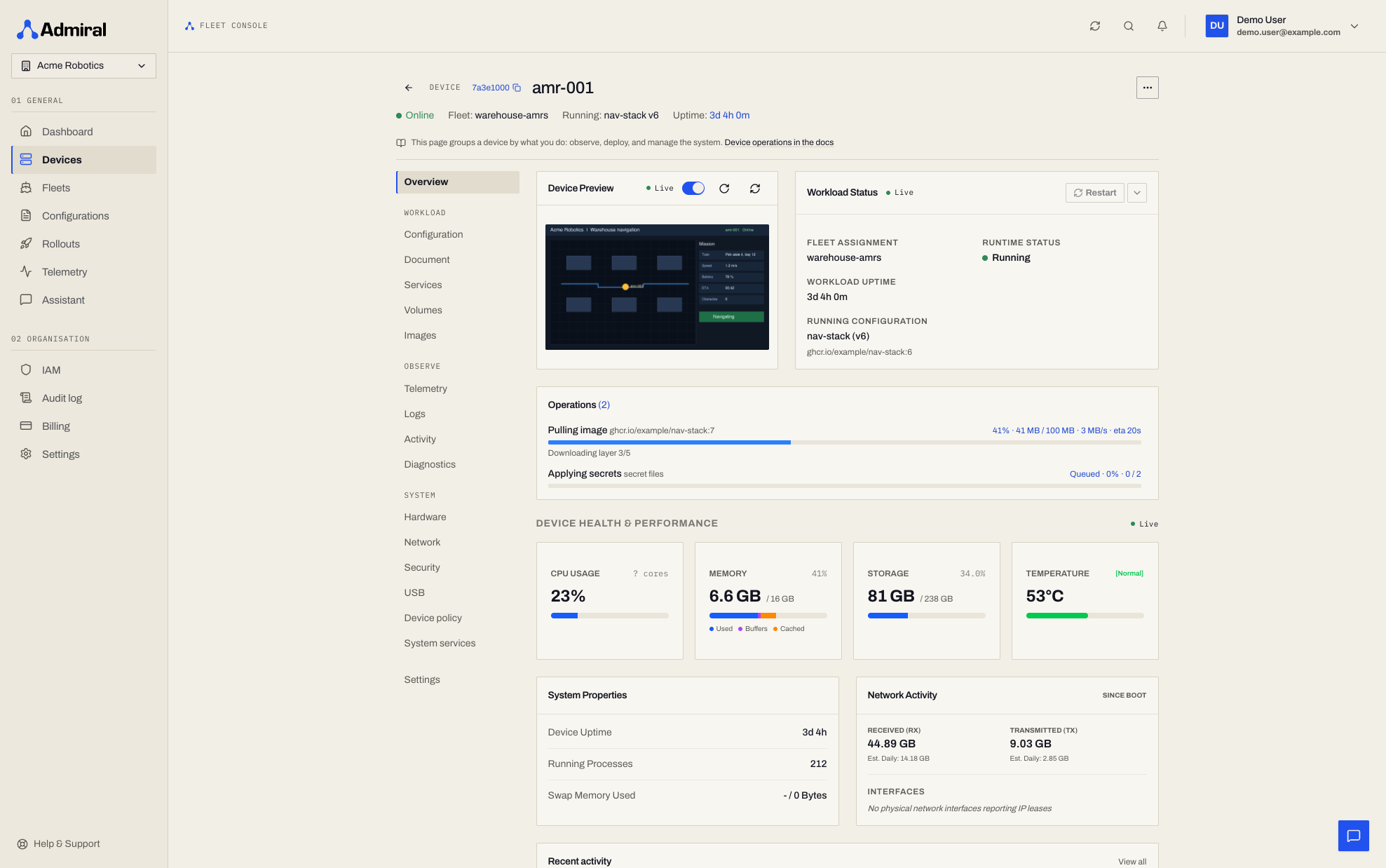
The primary operational overview for tracking live hardware health and runtime state:
- Device Preview Card (Screen & Console Capture):
- Remote screenshot showing whatever is physically rendered on screen or framebuffer (DRM, Wayland, X11, kmsgrab, fb0).
- Capture timestamp and on-demand manual refresh button.
- Workload Status Card:
- Current container execution state (
Running,Stopped, orCrashing). - Assigned fleet name and active configuration revision (e.g.
default-workload (v2)). - Continuous workload uptime timer.
- Operations: live progress bars for image pulls, system update downloads and installs, and container starts, with rate and time remaining. See Device State & Diagnostics.
- Current container execution state (
- Performance Telemetry Metrics:
- CPU Utilization: Overall load percentage and per-core activity gauges.
- Memory Utilization: Breakdown of Used, Buffered, and Cached memory bytes.
- Storage: Primary disk usage vs. total partition capacity.
- Thermal Sensor: Hardware temperature reading (e.g.
39°C [Normal]) with automatic thermal throttling warnings for sealed robotics enclosures. - Health issues and warnings from telemetry, listed under the gauges when present.
- System Properties & Network Activity:
- Total hardware uptime since last cold boot and process count.
- Cumulative network I/O counters (Bytes Received and Bytes Transmitted since boot).
- Recent activity: the latest device events, with a link to Observe > Activity.
Workload
2. Configuration
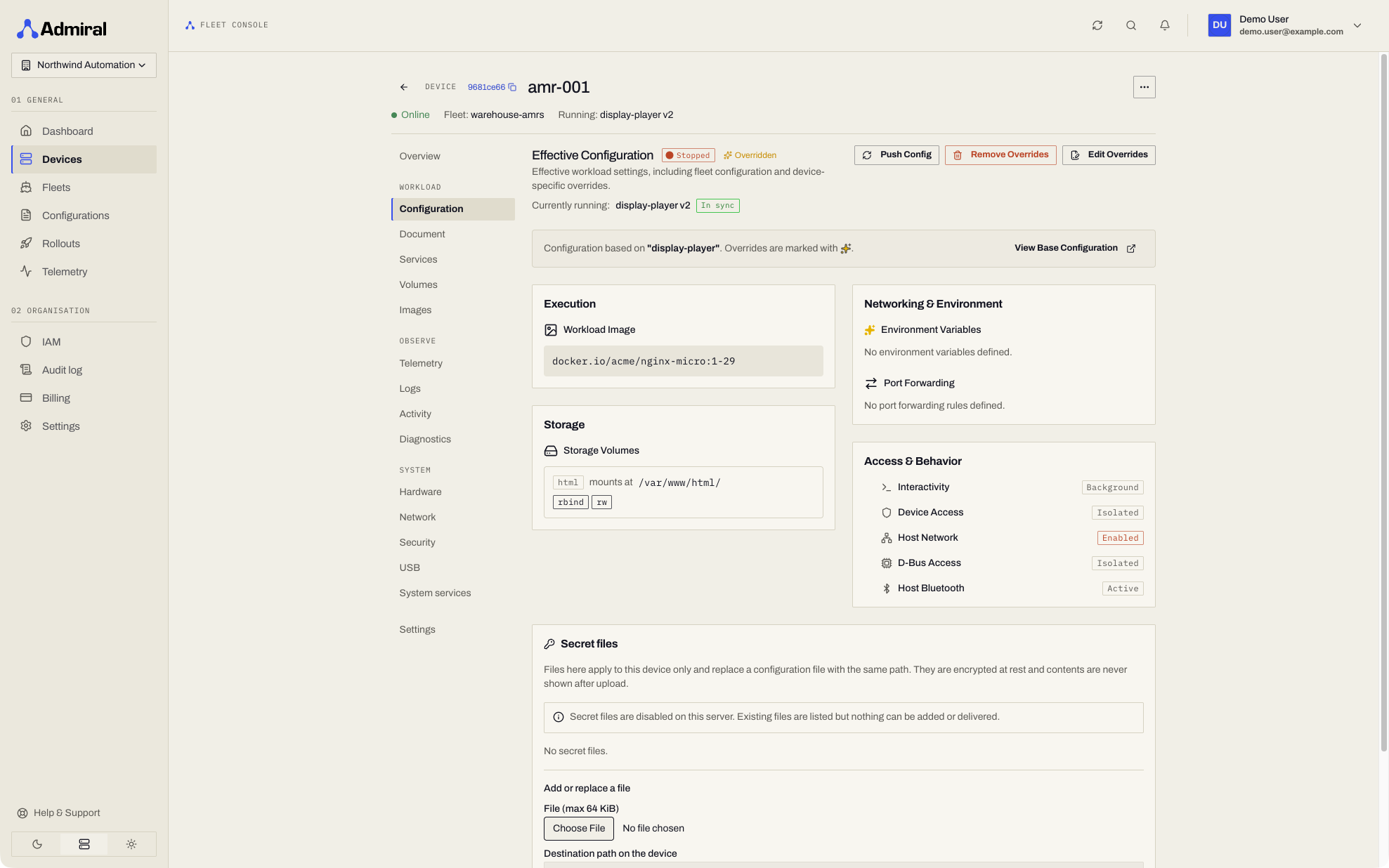
- Inspect the Effective Merged Configuration active on this host.
- Configure Per-Device Overrides (e.g., unique robot wheel calibration values, local camera device paths, or unique endpoint URLs).
3. Document
- The device's desired state and reported status as one YAML document, with preview and override editing. See Device Documents & Desired State.
4. Services (Port Discovery)
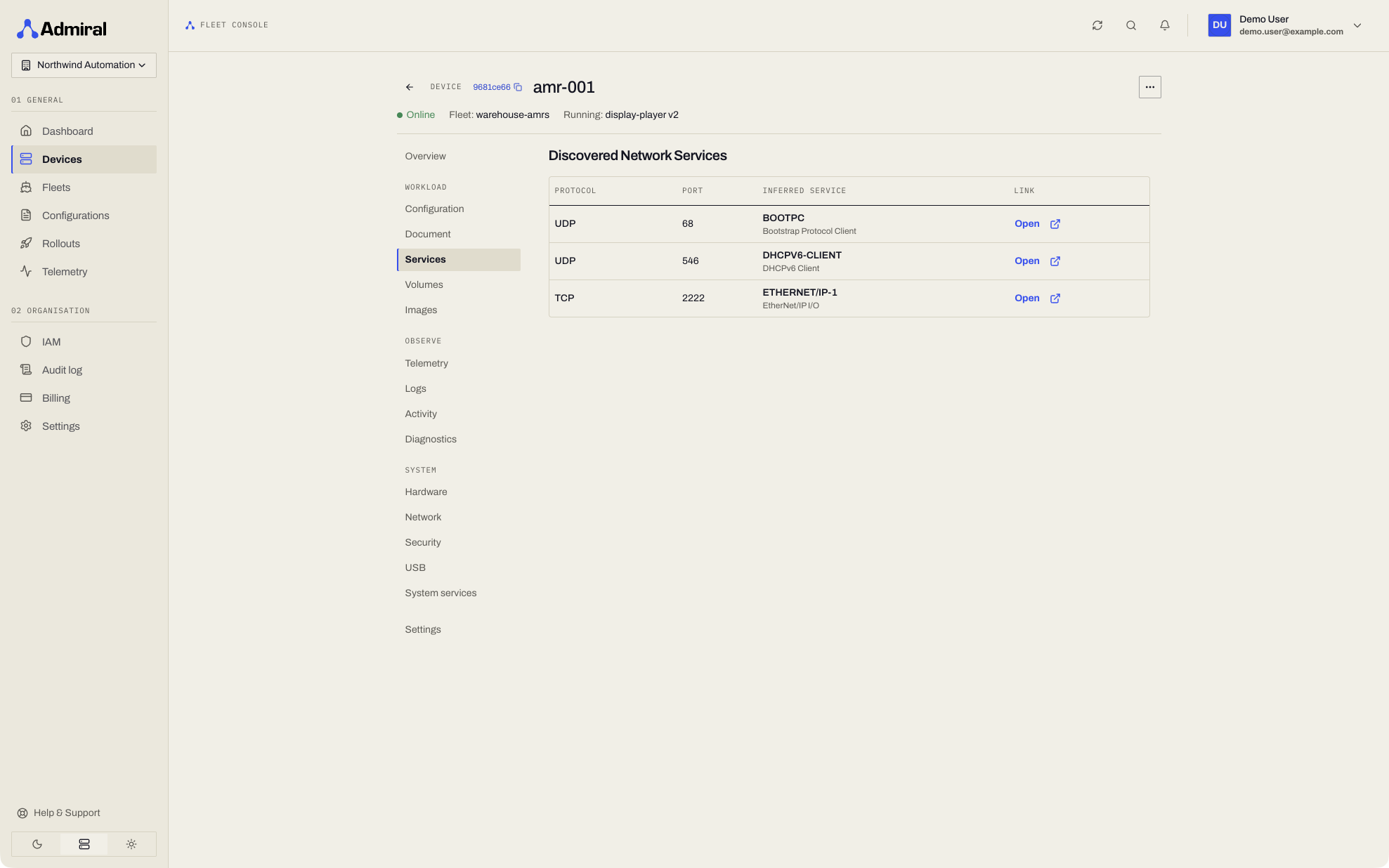
- Displays all open TCP and UDP listening ports discovered by Admiral's background network scanner across the host and container namespaces.
- Automatically maps port numbers to standard protocols (ROS bridge websockets, HTTP, RTSP video streams, MQTT brokers).
- Provides one-click launch links (
http://<device-ip>:<port>) to open locally running web apps in your browser.
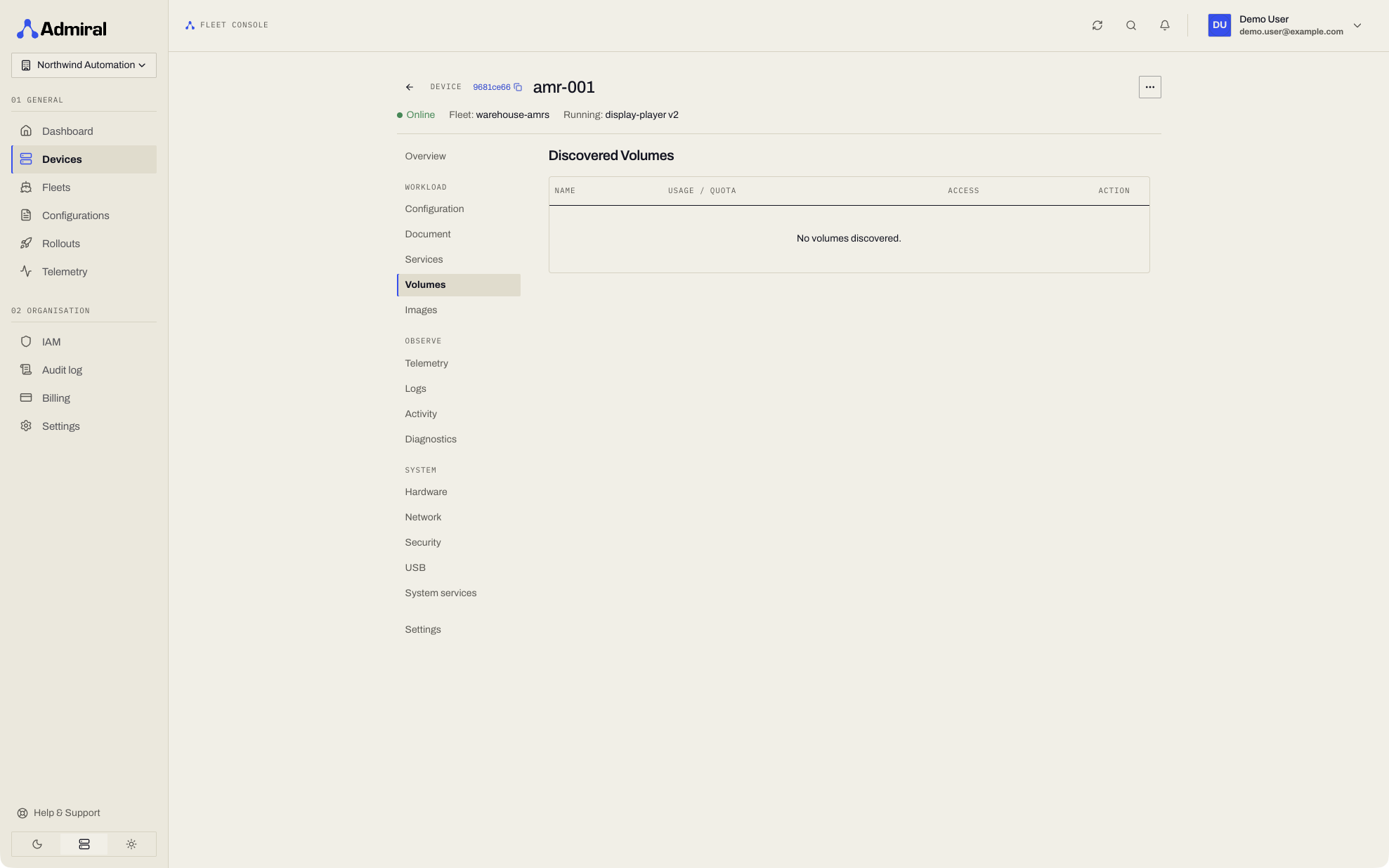
5. Volumes (Persistent Copy-on-Write Subvolumes)
- Lists all persistent Copy-on-Write (CoW) subvolumes attached to the device.
- Real-time tracking of disk space consumption per subvolume (
usageBytes). - Access permissions badge (
Read-Onlyvs.Read-Write). - In-Use Deletion Protection: Prevents accidental deletion of any subvolume actively mounted by the running workload.
6. Images (Container Image Cache)
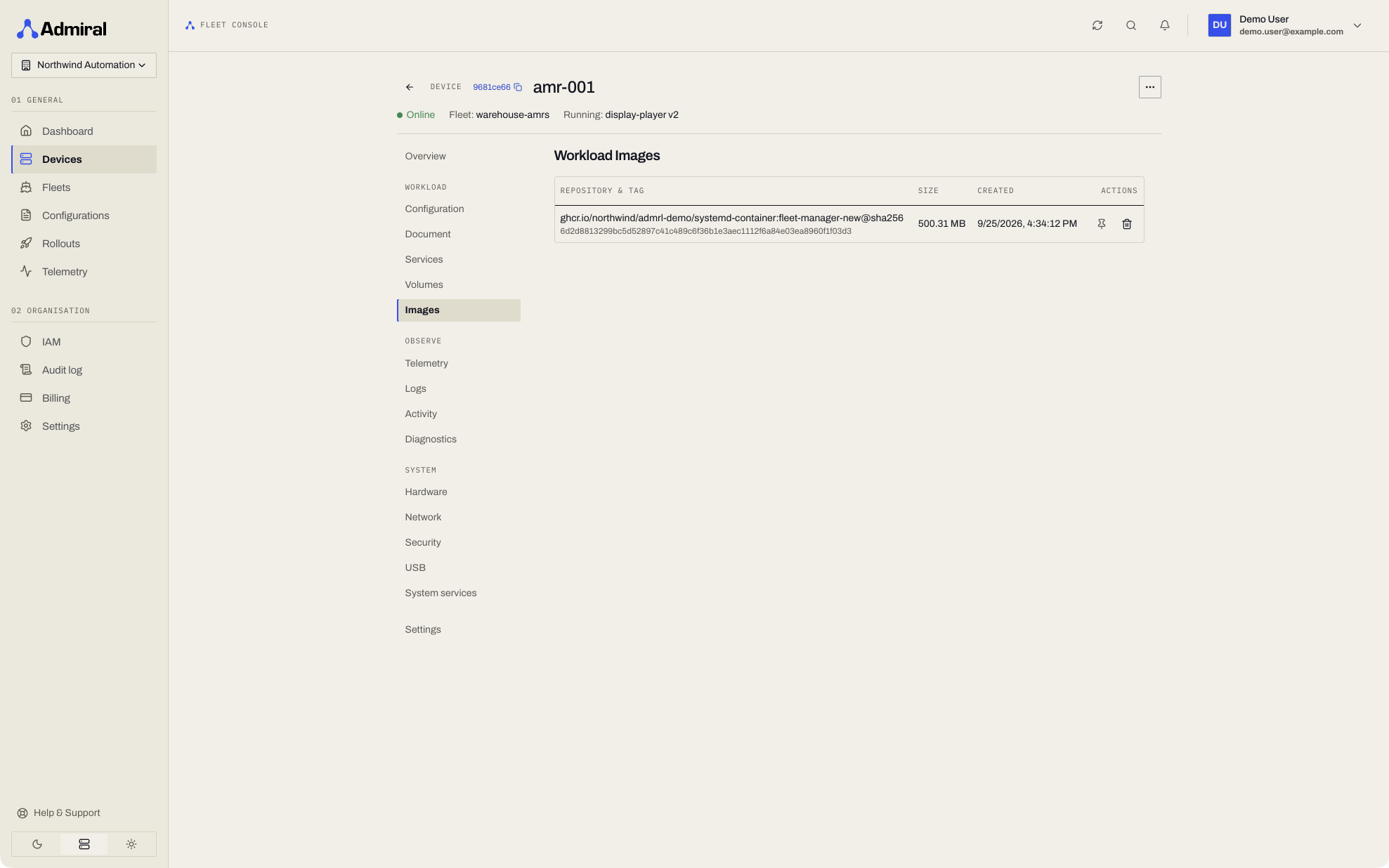
- Inspect all OCI container images cached in local flash storage.
- Displays image repository, tag, creation timestamp, and physical size on disk (MB).
- Remotely delete orphaned images or push a cache manifest to pre-cache heavy robot perception models.
- Pin an image to keep it on the device: pinned images are never removed by image cleaning. See Pinning Cached Images.
Observe
7. Telemetry
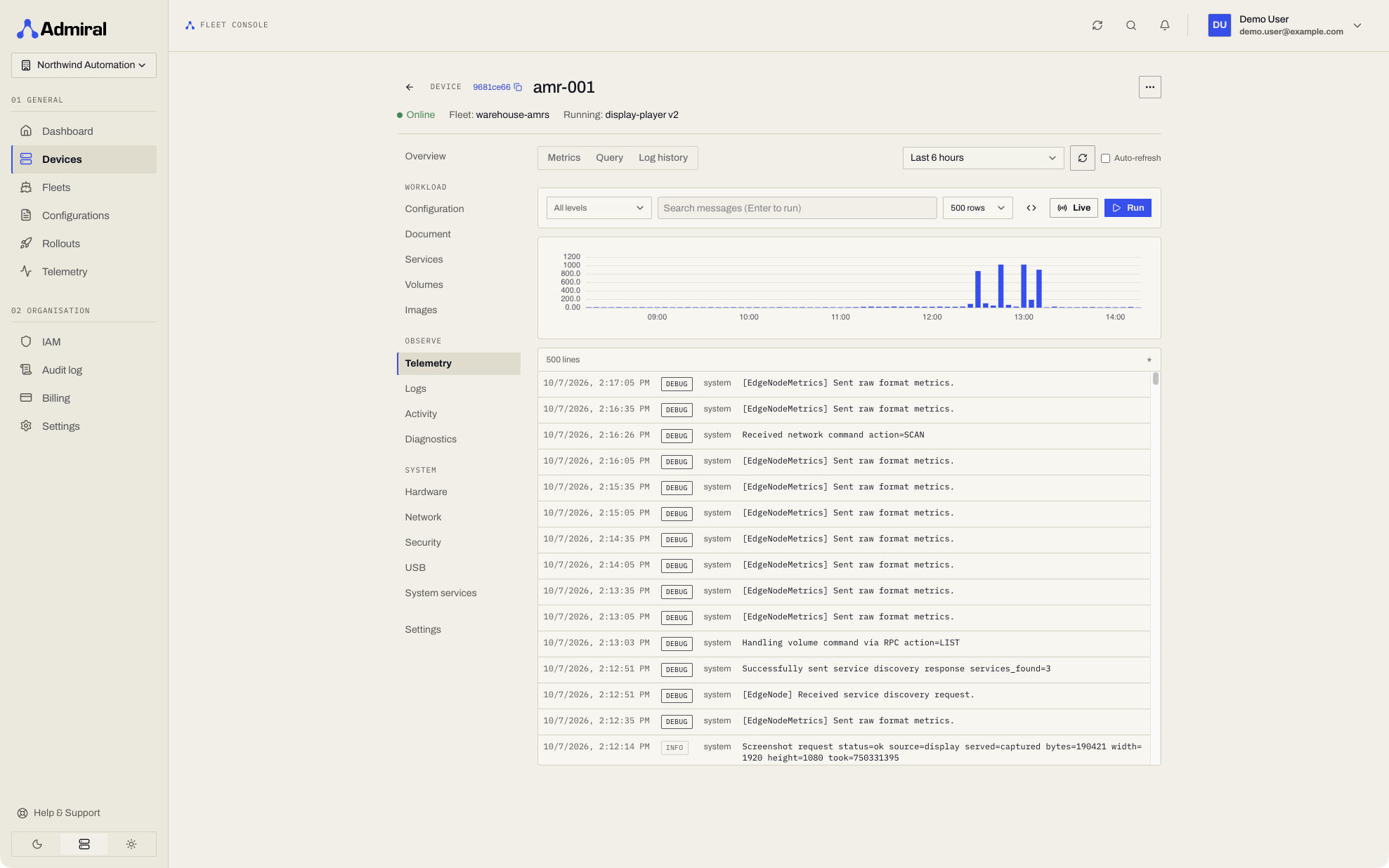
- Metrics and queries for this device. See Telemetry.
8. Logs
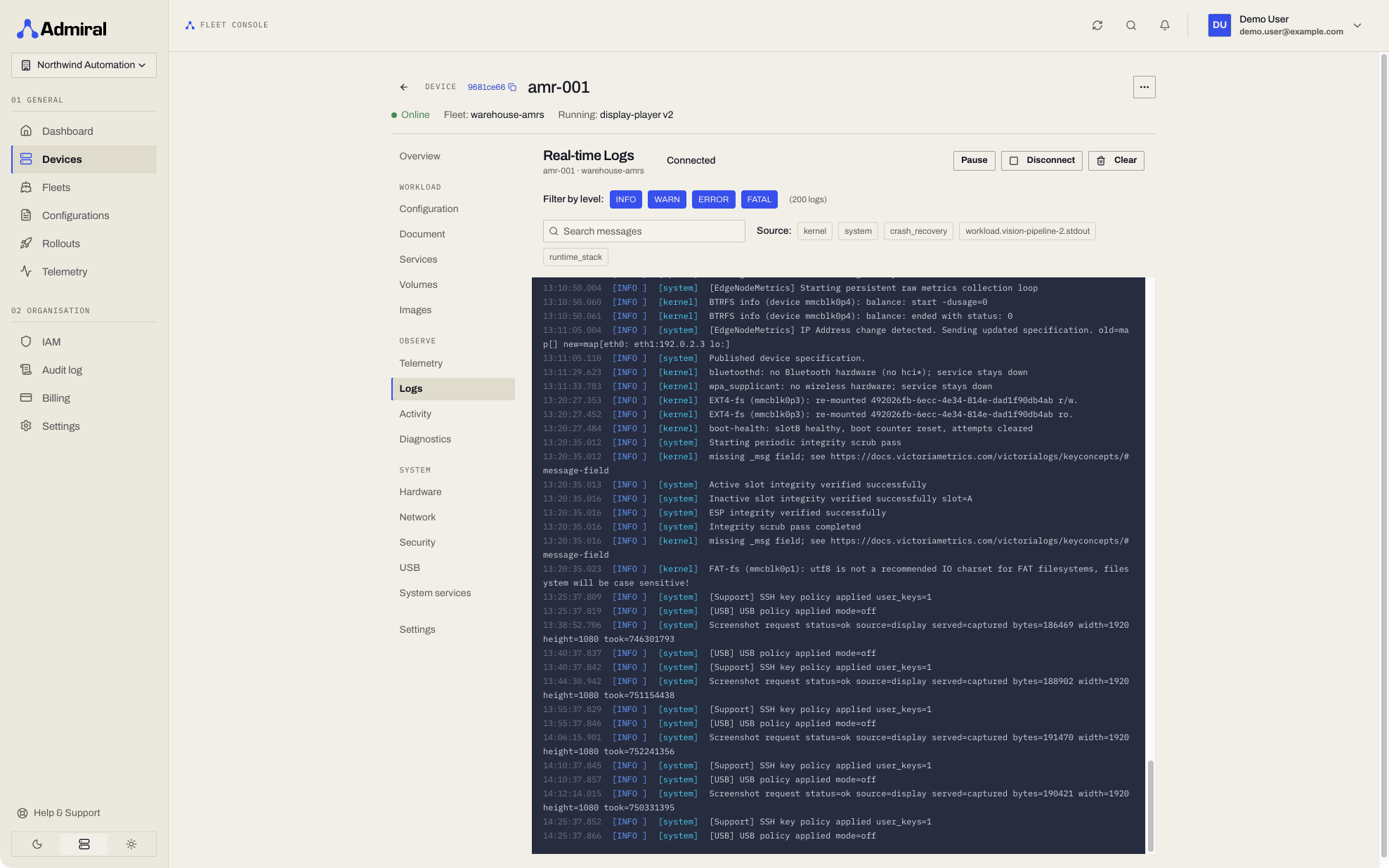
- Searchable kernel, platform, and workload logs from this device, with a Live option. See Logs.
9. Activity
- The device's event history: connections, workload changes, configuration pushes, updates, reboots, and rollout steps.
- Filter by event and by source.
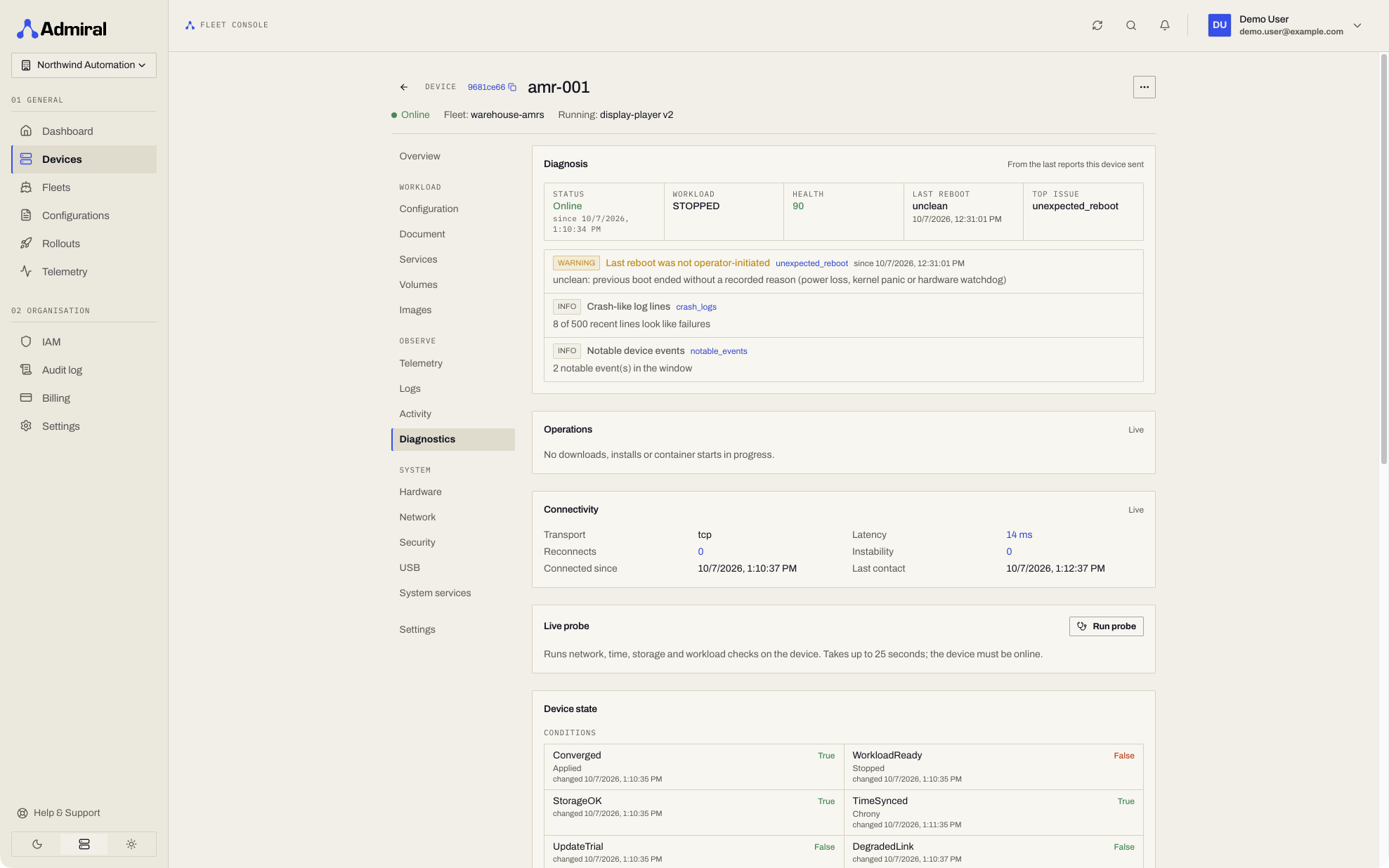
10. Diagnostics
- Diagnosis, live operations, connectivity, an on-demand live probe, and the full reported state. See Device State & Diagnostics.
System
11. Hardware (Specifications, Location & Notes)
Inspect deep hardware telemetry, physical location, and operational notes:
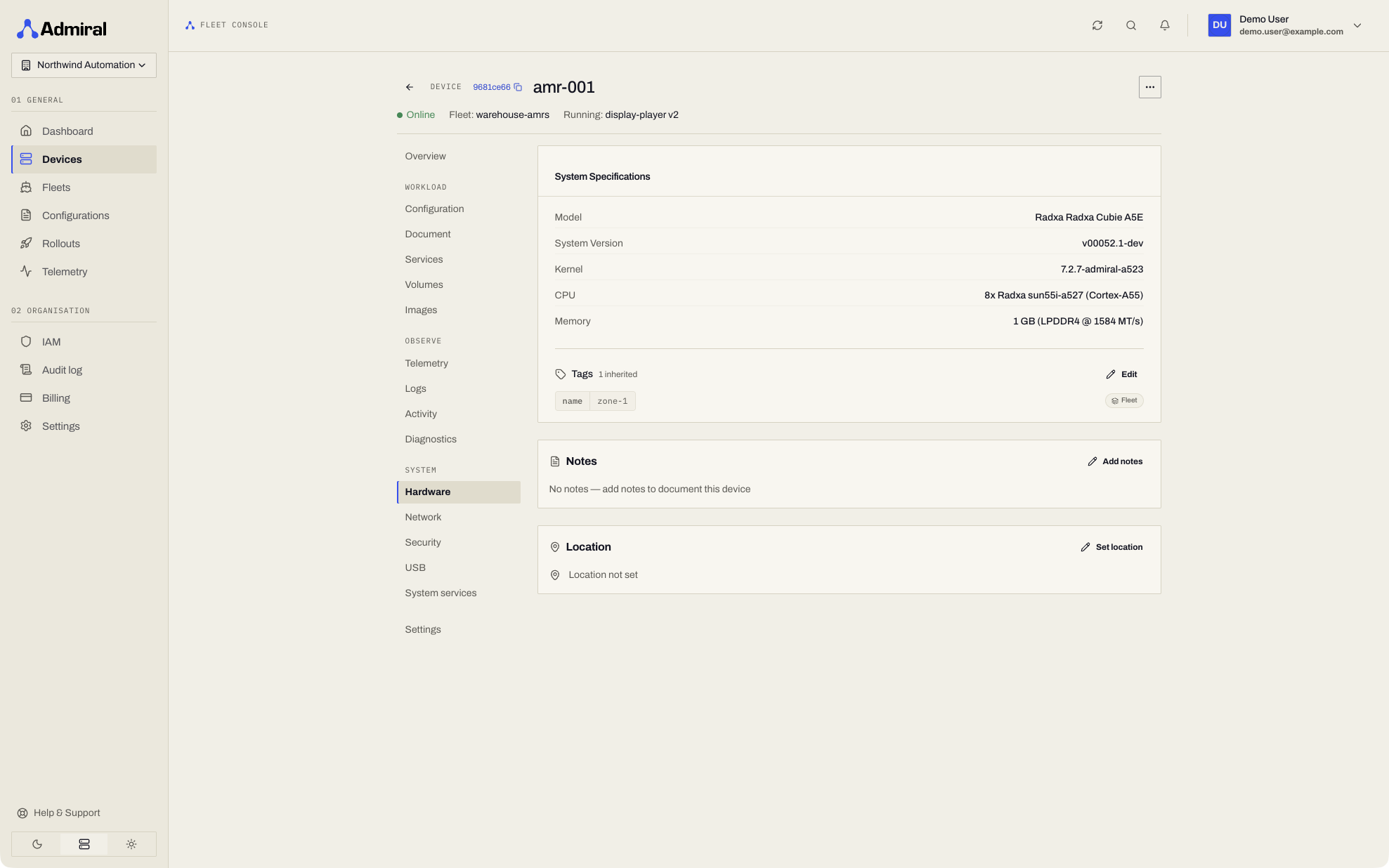
- System Specifications:
- Hardware Model: Physical product, vendor, and baseboard name (e.g. Bosgame EffiZen Series or Rockchip RK3588).
- System Version: Installed Admiral Manager release (e.g.
v00051.1-dev). Outdated or mismatched components display an animated warning indicator. - Kernel Release: Active Linux kernel version (e.g.
7.2.3-admiral) with a direct link to the official kernel.org changelog. - CPU & Microcode: Core count, architecture, and patch level (e.g.
8x AMD Ryzen 7 5800U). - GPU / NPU: Graphics and neural processing accelerator identification.
- Memory: Total RAM, technology, and frequency (e.g.
31.5 GB DDR4 @ 2933 MT/s). - Tags: Device-specific tags and inherited fleet tags with inheritance indicators.
- DMI / SMBIOS Inventory: BIOS version, date, chassis type, hardware serial numbers, asset tags, and board UUIDs.
- CPU Cache Architecture: L1, L2, and L3 cache sizes.
- Geographic Coordinates: Exact latitude and longitude coordinates with interactive map positioning.
- Editable Device Notes: Markdown-compatible text notes (up to 4,096 characters) for recording robot cell assignments, technician repair logs, or physical mounting details.
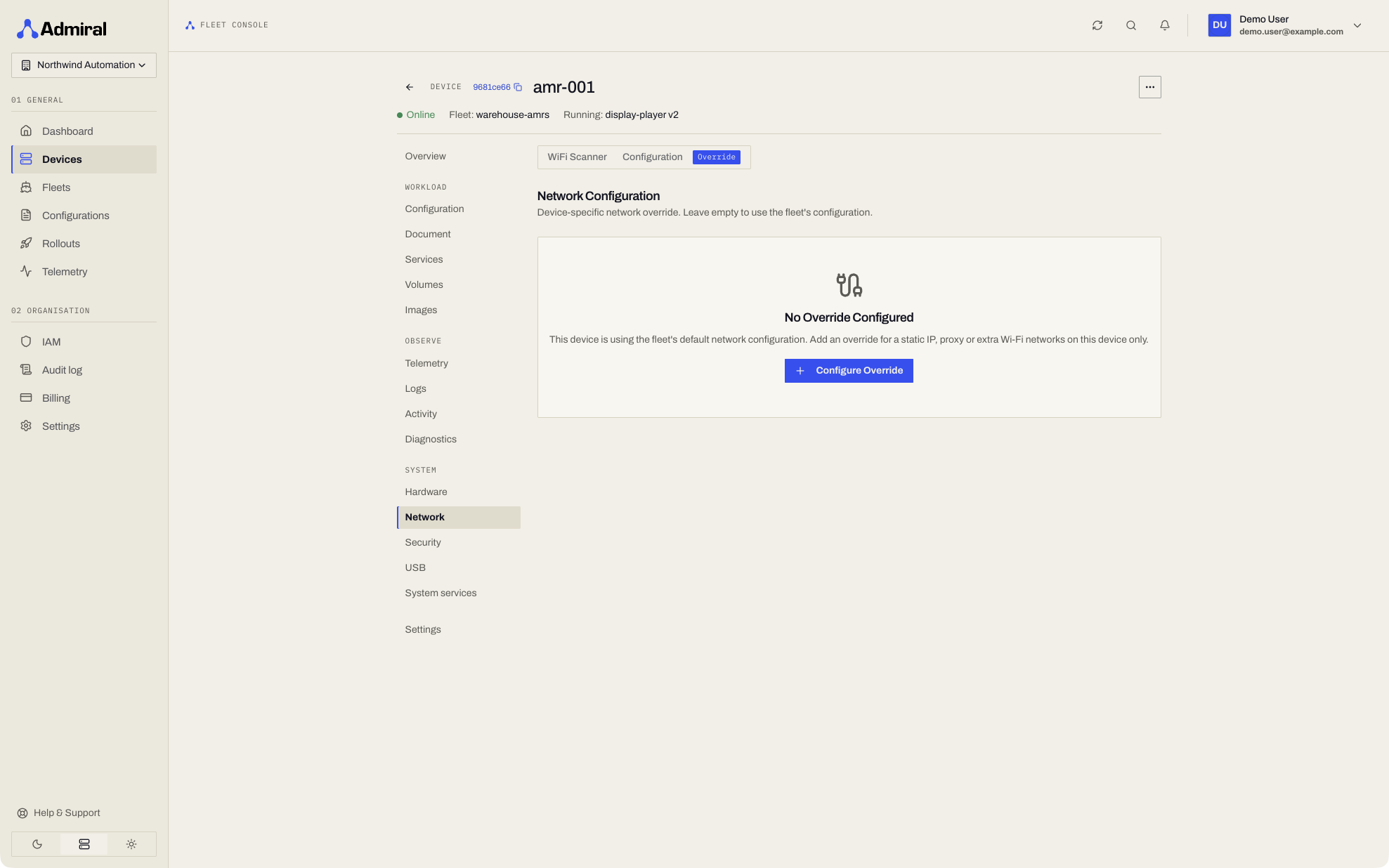
12. Network (Interfaces & Wi-Fi Scanner)
- Live inventory of all physical and virtual interfaces (
eth0,wlan0, CAN interfaces, bridges). - Real-time link states, active IPv4/IPv6 addresses, subnet masks, MAC addresses, and link speeds.
- Live Wi-Fi Scanner: Scan for nearby wireless networks and configure network overrides directly from the dashboard. Devices scan only when asked (from this tab, the device console, or a Bluetooth session) and never in the background, so scanning does not interrupt traffic on single-radio devices.
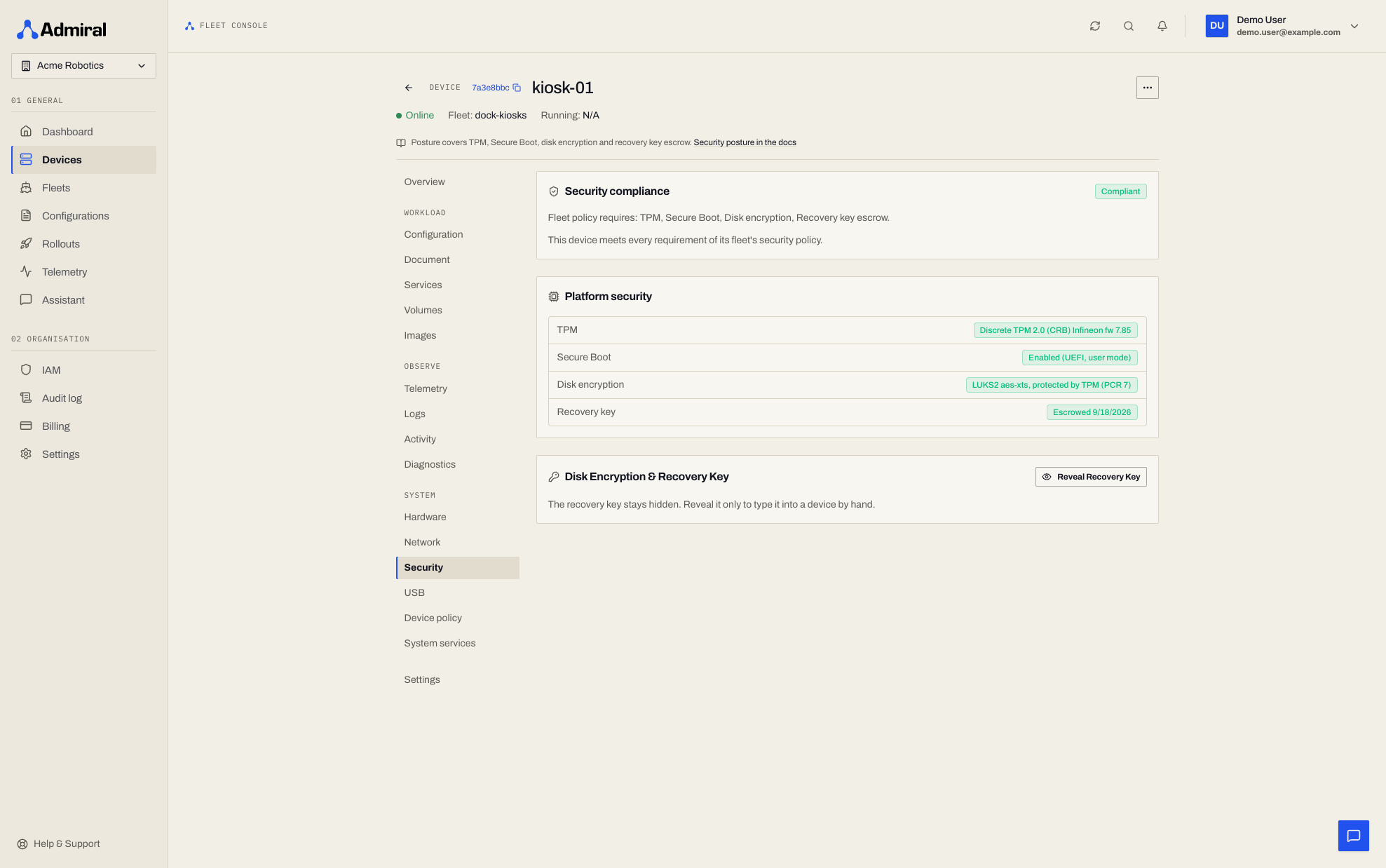
13. Security
- TPM, Secure Boot, disk encryption, recovery key, and compliance status, with Reveal Recovery Key and Remote unlock. See Device Security & Compliance.
14. USB
- The device's USB policy and the USB devices currently attached. USB policies need an Enterprise account (Plans & Add-ons); the attached-device list is always shown.
15. System services
- What the platform runs alongside your workload and whether each service is stable, restarting, or crash-looping.
16. AirDetect™ Presence
- Foot-traffic analytics from this device's Bluetooth radio, shown once AirDetect is enabled for the fleet. See AirDetect.
17. Settings
- Rename the device and change its fleet (General).
- Delete or decommission it (Danger zone). See Decommission Device.
Connection Status
A device is shown online when Admiral Cloud has received a heartbeat from it in the last 150 seconds (devices send one every 60 seconds). Status is judged by Admiral Cloud's own clock, so a device with a wrong clock is still reported correctly. The Status filter on the device list filters on this.
Remote Actions Toolbar
Clicking the action menu (...) on any device exposes immediate remote commands:
Configuration Actions
- Push Config: Forces the device to immediately re-evaluate and pull its fleet configuration.
Fleet Actions
- Change Fleet: Move the device to another fleet. The device automatically drains its old workload and initializes the new fleet's configuration.
System Actions: Update Components
Opens the Update Device Components dialog:
- Choose Use Current Versions or manually select specific releases for:
- Init Binary (
initram) - System Image (
system/rootfs) - Kernel
- Init Binary (
- Select the post-update action:
Reboot Device,Restart Supervisor, orNo Action.
Workload Controls
- Start: Launches the assigned container workload.
- Stop: Gracefully stops the container with SIGTERM/SIGKILL timeouts.
- Restart: Performs an in-place container process restart.
- Recreate: Destroys the container bundle and recreates it from the OCI rootfs subvolume.
Repair over Bluetooth
Opens Bluetooth Field Service for this device, so a technician on site can diagnose and repair it even when it is offline.
Machine Power Controls
- Reboot: Initiates an orderly ACPI shutdown and hardware reboot.
- Shutdown: Powers off the hardware. (Warning: Requires physical access to power back on).
Decommission Device (Delete Modal)
Provides three explicit decommissioning levels:
- Unpair Only (
none): Removes cloud association while keeping pairing tokens and data intact. Use to quickly repair or reconnect a device without losing history. - Reset Identity (
reset_identity): Clears device identity and telemetry metrics while leaving the current workload running offline. Use when transferring device ownership. - Full Erase (
erase): Cryptographically wipes all storage volumes, clears TPM sealed keys, deletes container images, and restores the OS to factory state.
Every decommission level deletes the device's secret files from Admiral Cloud, ends any open remote access sessions on the device, and returns it to its out-of-the-box state.