Dual-Slot A/B Operating System Updates & Version Pinning
Updating core operating systems, kernels, and supervisor firmware on remote edge devices and autonomous robots in the field is traditionally high-risk. A disrupted update or corrupted driver could leave a machine permanently unreachable.
Admiral eliminates field-bricking risks through a dual-slot A/B partition architecture backed by cryptographic image verification and an automated connectivity watchdog.
1. Dual-Slot A/B Partition Layout
The physical boot drive is provisioned with duplicate system root partitions:
Physical Boot Drive Partition Architecture (NVMe / eMMC / SSD)
1. Background Staging: Passive slot written while active workload executes
2. Cryptographic Check: Merkle tree & GPG signatures validated before reboot
3. Trial Boot: New slot must report healthy, or the bootloader returns to the known-good slot
-
Zero In-Place Overwrites: Live running system files are never overwritten while the machine is operating.
-
Passive Background Staging: Operating system updates are downloaded, unpacked, and verified into the passive slot in the background while workloads continue executing undisturbed.
-
Atomic Boot Flag Switch: Once the passive slot is fully written and verified, Admiral Manager signals the bootloader to set the updated slot as the primary target for the next reboot.
-
Per-board bootloader support: The same A/B contract (per-slot boot attempts, trial state, and validity) is implemented for each bootloader family:
Platform Bootloader Slot switching x86_64 (UEFI) Signed GRUB 2 GRUB environment, with per-slot validity and trial counters NVIDIA Jetson Orin GRUB 2 GRUB environment, with per-slot validity and trial counters Supported Rockchip and Allwinner boards U-Boot U-Boot environment, with per-slot validity and trial counters Other ARM boards U-Boot Simple slot selection with a three-attempt boot limit -
Power-safe signed boot configuration: On boards with a signed GRUB configuration, the configuration itself is kept as an A/B pair. An update writes the inactive copy and then switches to it, so losing power mid-update can never leave the device without a valid, signed boot configuration.
-
One maintenance task at a time: Updates, slot repair, and background integrity scrubbing never run concurrently.
2. Cryptographic dm-verity & GPG Verification
Every Admiral OS update manifest is cryptographically verified before boot execution:
- dm-verity Root Hashes: The kernel validates filesystem blocks against a dm-verity Merkle tree hash, guaranteeing the system image has not suffered disk corruption or unauthorized tampering.
- GPG Signed Bootloader Configs: The bootloader configuration is signed by Admiral's release authority and checked against hardware-sealed GPG public keys.
3. Trial Boot, Automatic Rollback & Connectivity Watchdog
What happens if an updated kernel boots, but crashes, hangs, or fails to bring up the network driver?
Trial boot and rollback:
- The updated slot is armed as a trial. The previous slot stays recorded as known-good.
- The update is only committed once the newly booted OS connects to The Admiral Mesh.
- If the new slot never commits (kernel panic, hardware watchdog reset, hang, or a boot that never becomes healthy), the bootloader falls back to the known-good slot on the next boot.
- A version that failed its trial is recorded on the device and is never offered to it again, so a bad release cannot boot-loop the machine.
A trial is judged only after the machine has actually rebooted into the new slot. Restarting the Admiral supervisor without a reboot never counts as a failed trial, and the known-good slot an unproven trial would fall back to is never marked invalid.
1-hour connectivity watchdog: If a device has no connection to Admiral Cloud for an hour after boot, it performs a clean reboot to recover from wedged drivers or network state. This watchdog deliberately does not roll back the OS: a cloud-side outage or a site firewall change would otherwise roll back every device in the fleet at once. Rollback is driven only by the trial-boot mechanism above.
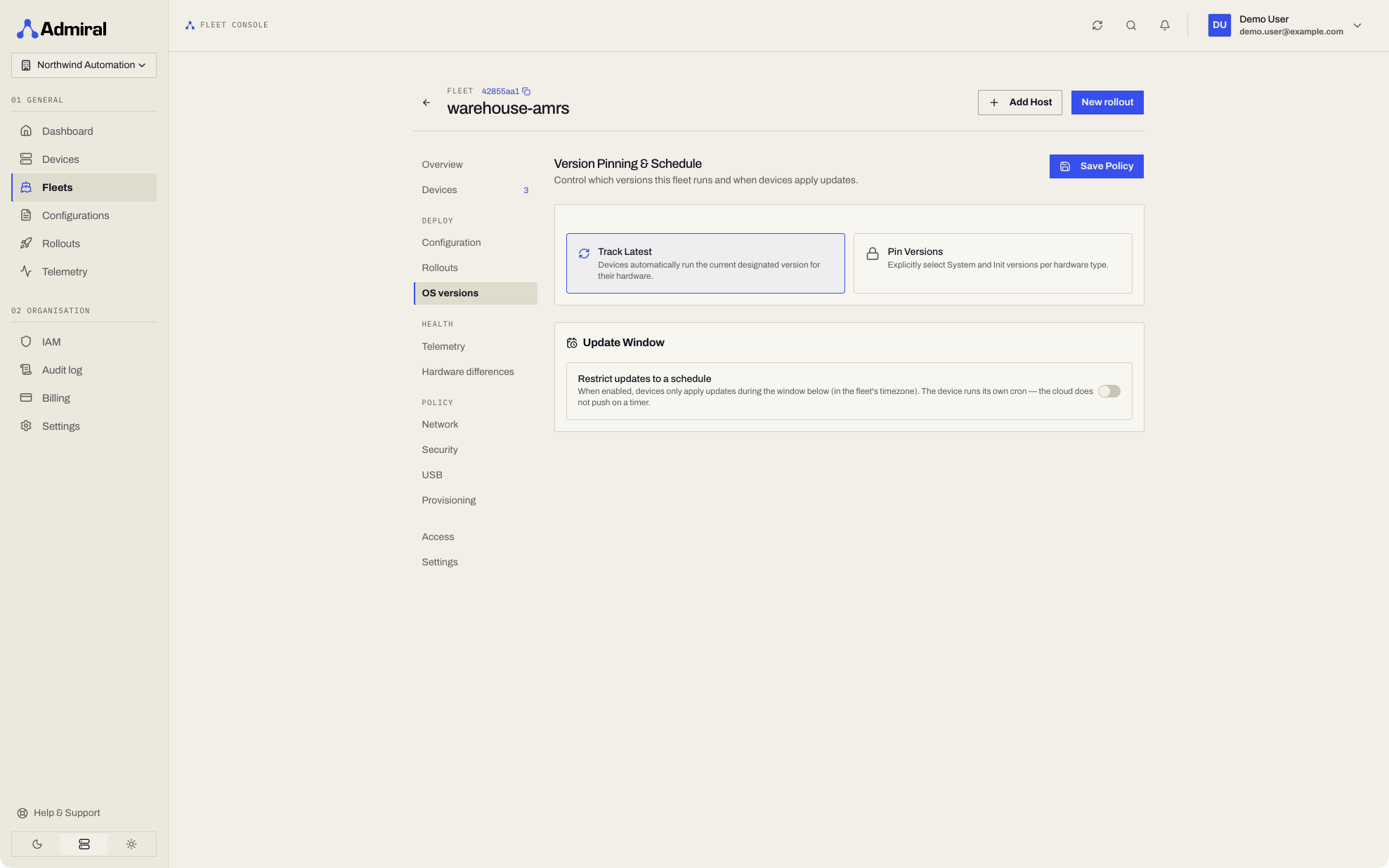
4. Fleet Component Version Pinning
Fleet managers can enforce strict baseline versions across an entire fleet via the Fleet > Deploy > OS versions page:
- Component Granularity: Independently pin and control baseline versions for:
- Admiral Manager (
admiral-init): Core init supervisor and container runtime. - System Rootfs: Base operating system libraries, utilities, and userspace tools.
- Linux Kernel: Hardware device drivers, cgroups, and network stack.
- Admiral Manager (
- Deterministic Fleet Compliance: Any newly provisioned device joining the fleet automatically stages and boots the exact pinned version baseline, eliminating configuration drift across machines deployed months apart.
Version pinning here is about the Admiral OS itself. Pinning your workload image to a fixed tag or digest is covered in Configurations, and keeping cached images on a device in Pinning Cached Images.
5. Minimum Version Floors
To satisfy SOC 2, ISO 27001, and enterprise fleet security baselines, Admiral allows security teams to enforce Minimum Version Floors across all deployed hardware (/v1/system/minimum-versions).
Enforcement modes
- Warning / Audit Mode (
blocking: false):- Devices running OS versions beneath the compliance floor are flagged with an active security alert in the dashboard.
- Telemetry logs track compliance drift for auditors without interrupting production services.
- Strict Quarantine / Blocking Mode (
blocking: true):- Access tokens and JWT credentials are withheld from devices running out-of-compliance OS builds.
- Quarantined devices cannot access internal control fabrics or hub APIs until an administrator or automated rollout brings the machine at-or-above the floor.
Querying breaches via the API
GET /v1/system/minimum-versions/breaches
X-Organization-ID: {orgId}
Returns a paginated list of non-compliant devices, current operating version, configured floor version, and remediation status.
6. Smaller and Resumable Downloads
Updates travel over the links robots actually have: cellular, congested Wi-Fi, a dock at the edge of coverage. Two mechanisms keep them small and make them survive interruptions. Both are automatic: there is nothing to enable, and no setting changes how you publish or roll out an update.
OS slot deltas
When Admiral publishes an OS release, the release can include binary patches against recent earlier versions of the files that changed. A device that is running one of those versions downloads the patch instead of the whole file:
- The device checks whether the file in its active slot matches the base of an offered patch. Only the running slot is used as a base, never the slot being written.
- It downloads the patch and checks the patch's SHA-256.
- It checks a signed statement that binds the patch to the exact base file, target file and sizes. The signature is verified on the device against the Admiral root certificate it already trusts, so a patch that was not issued for this base and target is rejected.
- It applies the patch to the active slot's file and writes the result to the passive slot, then checks the SHA-256 of the output against the release manifest's hash for that file. The file is only moved into place when the hash matches.
If anything fails (no matching patch, a bad signature, a hash mismatch, a base file too large to patch, a network error) the device downloads the full file instead, so a delta can only make an update smaller, never make it fail. The rest of the update is unchanged: the passive slot is still verified with dm-verity before the trial boot.
A release carries at most two patches per file, so a device that is more than a couple of releases behind downloads full files.
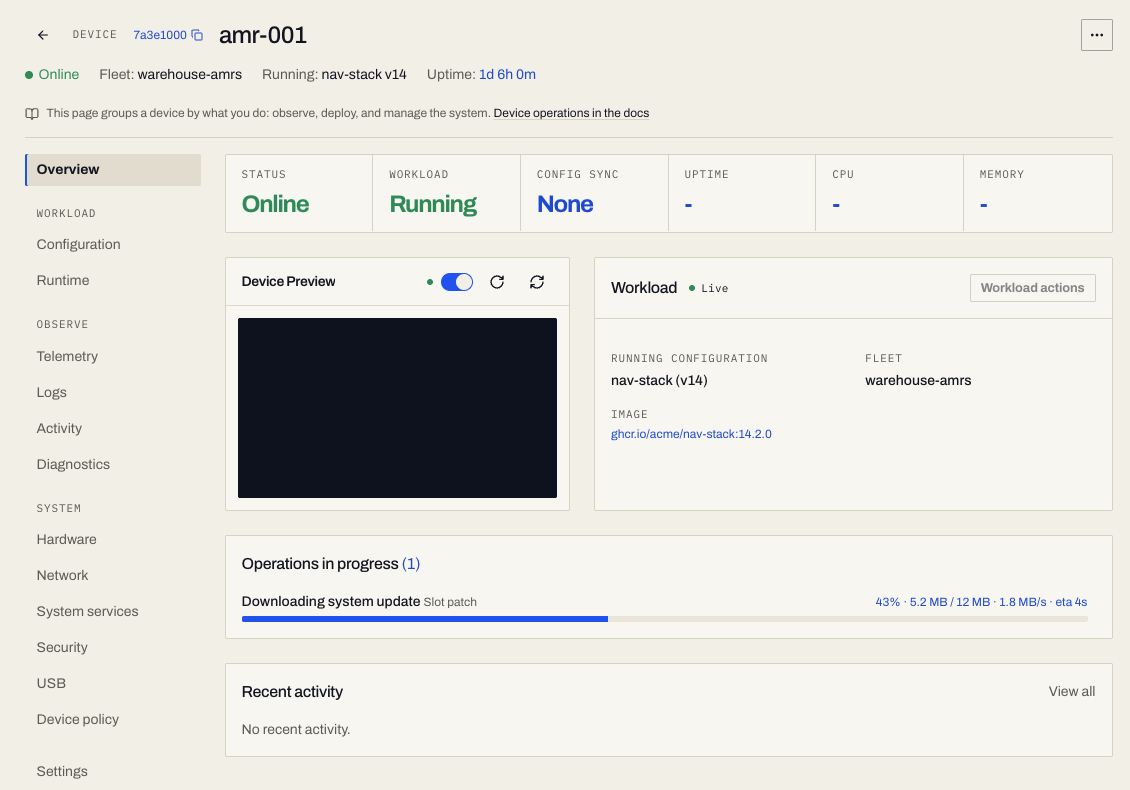
What you see. Smaller updates and nothing else to manage. While a device downloads a patch, the Operations in progress card on the device's Overview shows Downloading system update with the target Slot patch, and the byte count and total are those of the patch, not of the whole file. See Diagnostics.
Resumable downloads
A dropped connection does not restart a download from zero:
- System update files and patches are read through a resilient reader. A broken or stalled connection (no data for about 90 seconds) is dropped and the download resumes at the byte where it stopped with an HTTP range request, retrying with increasing waits. If a server ignores the range and sends the whole file, the device skips the bytes it already has.
- Workload images keep partial layer files on disk. After an interruption the device resumes the layer with a ranged request on a fresh registry link (registry download links are short-lived). If the registry does not honour the range, the device restarts that layer from the beginning, and a layer whose digest does not match after a resume is discarded and fetched again.
Every file is still checked against its expected hash or digest at the end, so resuming cannot change what is installed.
Workload image deltas
Workload image updates can also be delivered as small per-layer deltas. That is part of Registry Fallback, because it follows the fleet's registry fallback setting.