Fleet & Edge Networking Architecture
Admiral is engineered for high-availability operation across unpredictable physical network environments: noisy warehouse Wi-Fi, moving autonomous mobile robots (AMRs), remote cellular gateways (4G/5G), and firewalled enterprise corporate intranets.
1. Fleet-Wide Multi-Network Prioritization
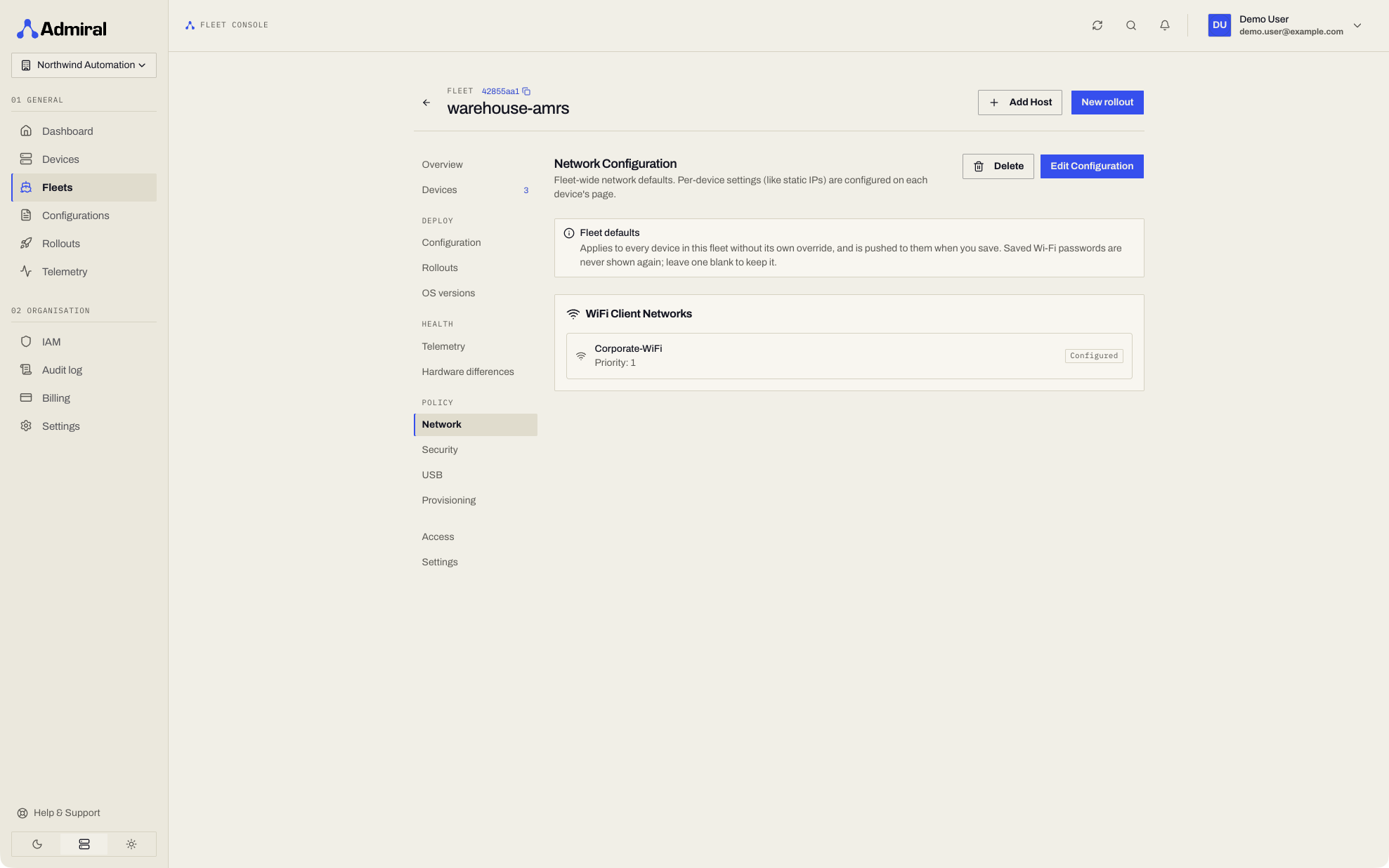
Fleet operators can configure priority-ordered Wi-Fi networks in the Fleet > Policy > Network page. Every device enrolled in the fleet inherits this network table automatically:
- Automatic Interface Prioritization:
- Gigabit Ethernet (
eth0,enp1s0): Wired interfaces are always prioritized when connected. - Primary Wi-Fi (
wlan0,wlp3s0): High-throughput 5GHz facility or warehouse network. - Secondary / Backup Wi-Fi: Fallback 2.4GHz network for broader physical coverage.
- Cellular / LTE Modem: Cellular telemetry fallback when roaming outside facility Wi-Fi boundaries.
- Gigabit Ethernet (
- Continuous Background Roaming: If the active Wi-Fi link degrades or drops, Admiral OS seamlessly scans and associates with the next highest-priority available network in the table without interrupting local container execution.
2. Device-Level Network Scanner & Overrides
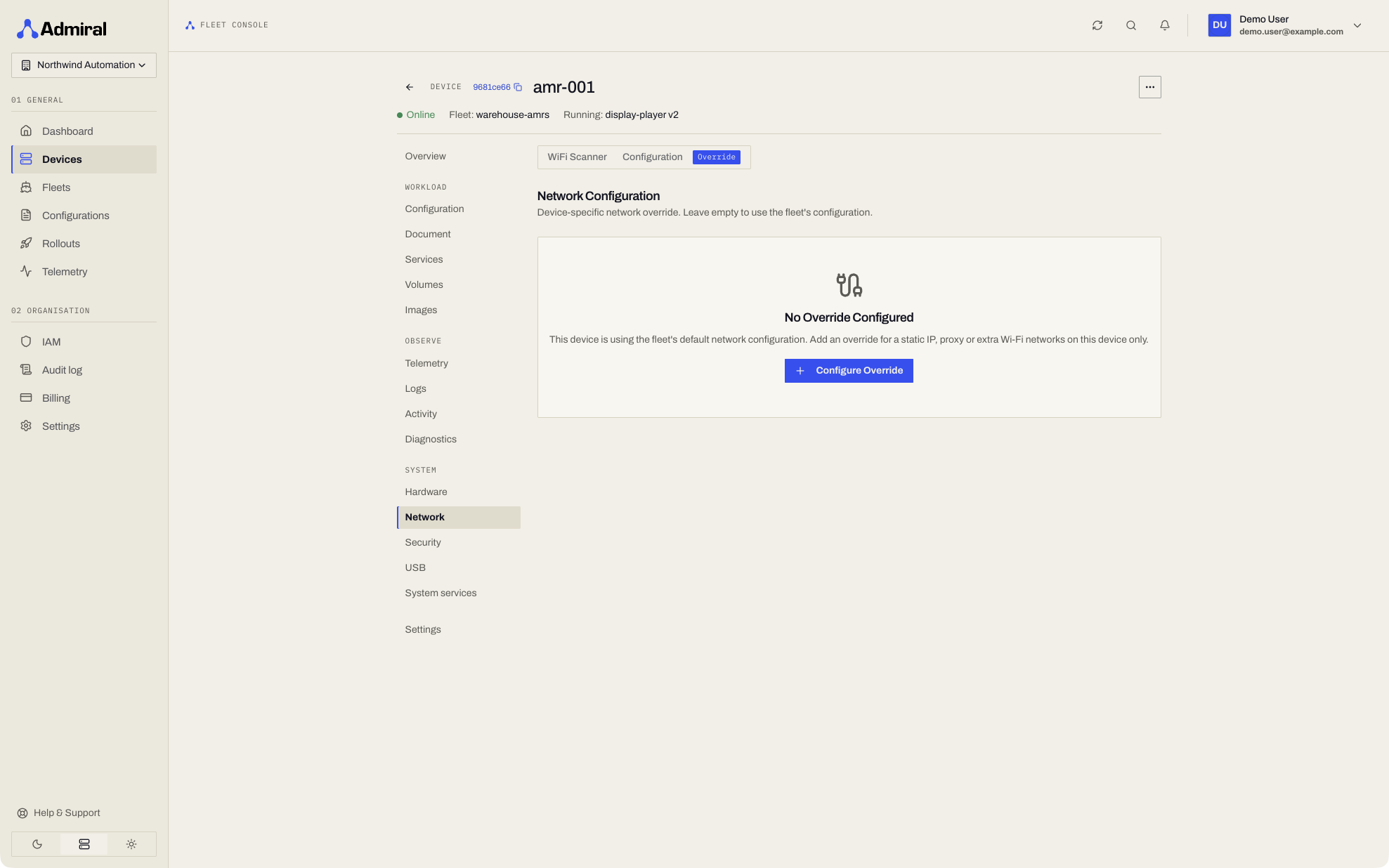
For field technicians or dedicated edge nodes requiring site-specific network configurations, operators can configure local overrides directly from the Device > Network tab:
- Integrated Wi-Fi Scanner: Triggers a live hardware radio scan on the device, displaying nearby SSIDs, signal strength (dBm and percentage), and security standards (WPA2/WPA3-Personal, Enterprise).
- One-Click Add: Add any discovered network directly to the device's configuration with a single click.
- On-Demand Scanning Only: Devices scan for Wi-Fi only when asked (from this tab, the on-device console, or a Bluetooth session), never in the background, because a scan briefly stalls traffic on single-radio devices.
- Device-Specific Overrides: Assign custom static IPs, subnet masks, DNS servers, and gateways to specific interfaces without altering the parent fleet policy.
Network Changes Made on Site
A technician can also change the network on the device itself, from the on-device console or the Bluetooth app, for example to join a replacement access point. That change is a local override: it takes precedence over what Admiral Cloud assigns, survives reboots and configuration pushes, and every device page shows a banner for it. Choose Adopt to make it the device's assigned network, or Discard to return the device to the assigned network (which can disconnect it). Wi-Fi passwords entered on site are never shown in the dashboard. See Local Overrides.
3. Real-Time Link Telemetry & Diagnostics
Admiral continuously monitors physical network health and transfer volumes:
- Interface Link States: Instant visual status badges for wired Ethernet and wireless interfaces (
Upvs.Down). - Cumulative & Daily Data Accounting: Real-time counters for Received (RX) and Transmitted (TX) data since boot, alongside projected daily data consumption.
- Hardware Addressing: Direct visibility into hardware MAC addresses, local subnet IPs, and interface MTUs.
4. Networking on Encrypted Devices
On devices with encrypted storage, wired Ethernet comes up with DHCP before the disk is unlocked, so a device that needs remote unlock can still reach Admiral Cloud. Wi-Fi networks and static IP settings are stored on the encrypted disk and apply once it is unlocked. If an encrypted device must be remotely unlockable, give it a wired DHCP connection.
5. Workload Network Modes
Workload configurations offer two distinct networking modes depending on application requirements:
A. Isolated Bridge Network (Default)
The container runs inside an isolated network namespace with port forwarding rules. Ideal for web services, digital displays, and isolated utility workloads requiring strict ingress control.
B. Host Network Mode (hostNetwork: true)
The container bypasses network namespace isolation and shares the physical network interfaces of the host:
- ROS 2 DDS Discovery: Essential for autonomous robotics. Unlocks unrestricted UDP multicast (
239.255.0.1) across local on-chassis subnets, allowing FastDDS and CycloneDDS nodes to discover peers instantly. - Direct SocketCAN Binding: Allows control applications to bind directly to
can0andcan1interfaces. - Zero NAT Overhead: Maximizes network throughput and eliminates latency jitter for real-time sensor streams (RTSP, WebRTC, LiDAR point clouds).
6. The Admiral Mesh: Multi-Tier Transport Fabric
Edge devices maintain connectivity with Admiral Cloud across the Admiral Mesh, an adaptive transport fabric engineered for intermittent links:
- Proxy-aware: When an HTTP proxy is configured on the device, the Admiral Mesh goes straight to WebSocket over TLS on port 443.
- Per-device credentials: On current Admiral releases, each device holds a Mesh credential scoped to its own identity and renewed daily. A device can only receive its own traffic, never another device's.
- Staggered reconnects: After an outage, devices reconnect with randomised back-off so a whole fleet does not reconnect at the same instant.
- Offline Resilient Buffering: If all network transports disconnect simultaneously, Admiral OS stores logs, telemetry events, and state changes to flash storage buffers. When connectivity restores, buffered data is drained chronologically without data loss.